

Members
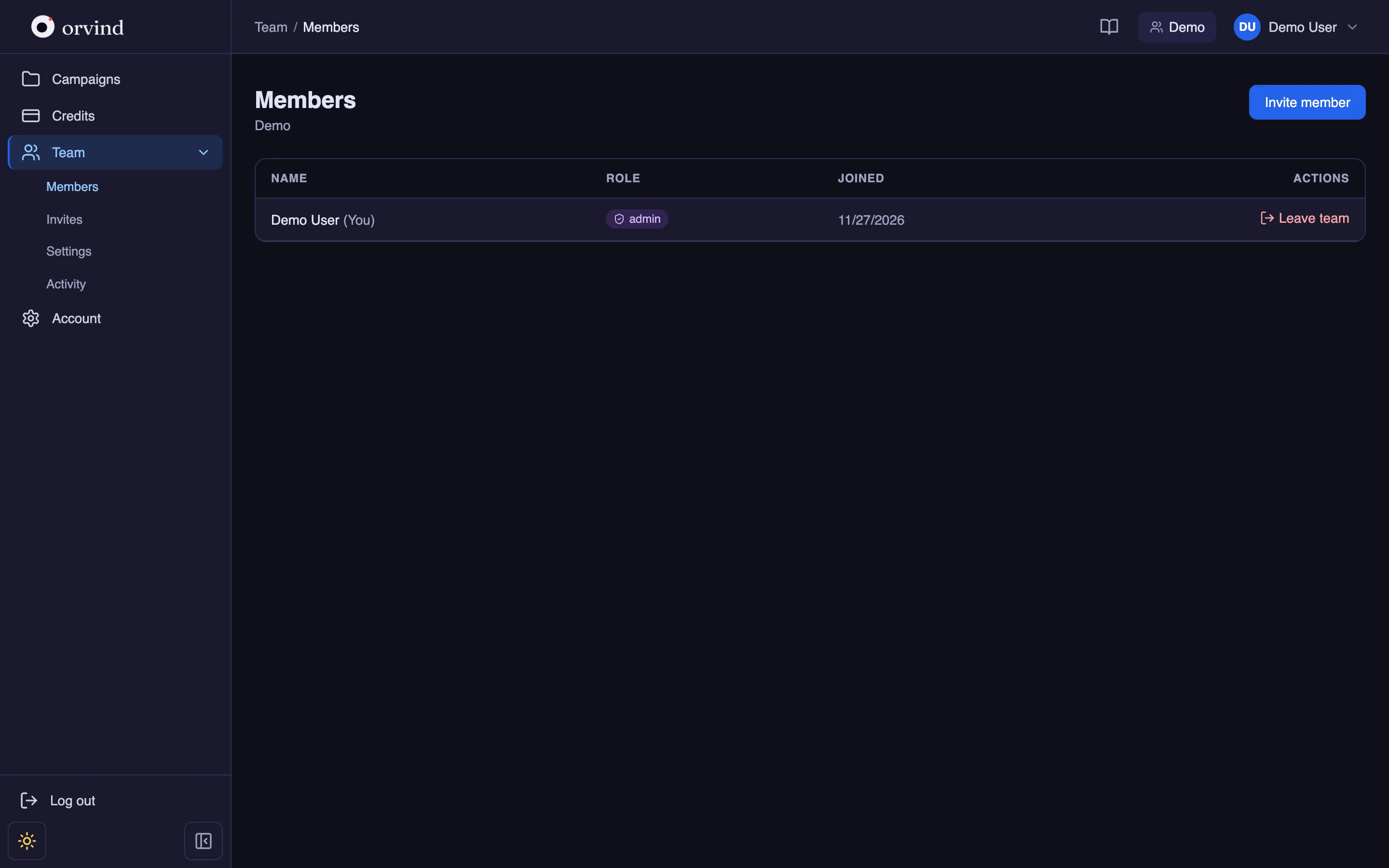
In the app: sidebar → Team → Members (app.orvind.com/org/members)
A team has two roles.
| Role | Can do |
|---|---|
| Admin | Everything: create campaigns, invite and remove people, change roles, see settings and activity. |
| Viewer | Read-only. Can open campaigns, play playables and see credits. |
A team always needs at least one admin.
The list
Section titled “The list”Each row shows Name, Role, Joined and Actions. Your own row is marked “(You)”.
Change someone’s role
Section titled “Change someone’s role”Admins only. On the person’s row, click Promote to admin or Demote to viewer.
Remove someone
Section titled “Remove someone”Admins only.
- Click the bin icon on the person’s row.
- Confirm with Remove.
They lose access to the team’s campaigns at once. You can invite them again later.
Add someone
Section titled “Add someone”Click Invite member. See Invites.
Leave the team
Section titled “Leave the team”- On your own row, click Leave team.
- Confirm with Leave team.
To come back, an admin must invite you again.
The last admin cannot leave or be demoted: “Your team needs at least one admin. Make someone else an admin first.”