

Credits
In the app: sidebar → Plan & credits or Credits (app.orvind.com/org/credits). Everyone in the team.
Edits in the Playground use credits. An edit is charged when it finishes. Failed edits are free.
Balance
Section titled “Balance”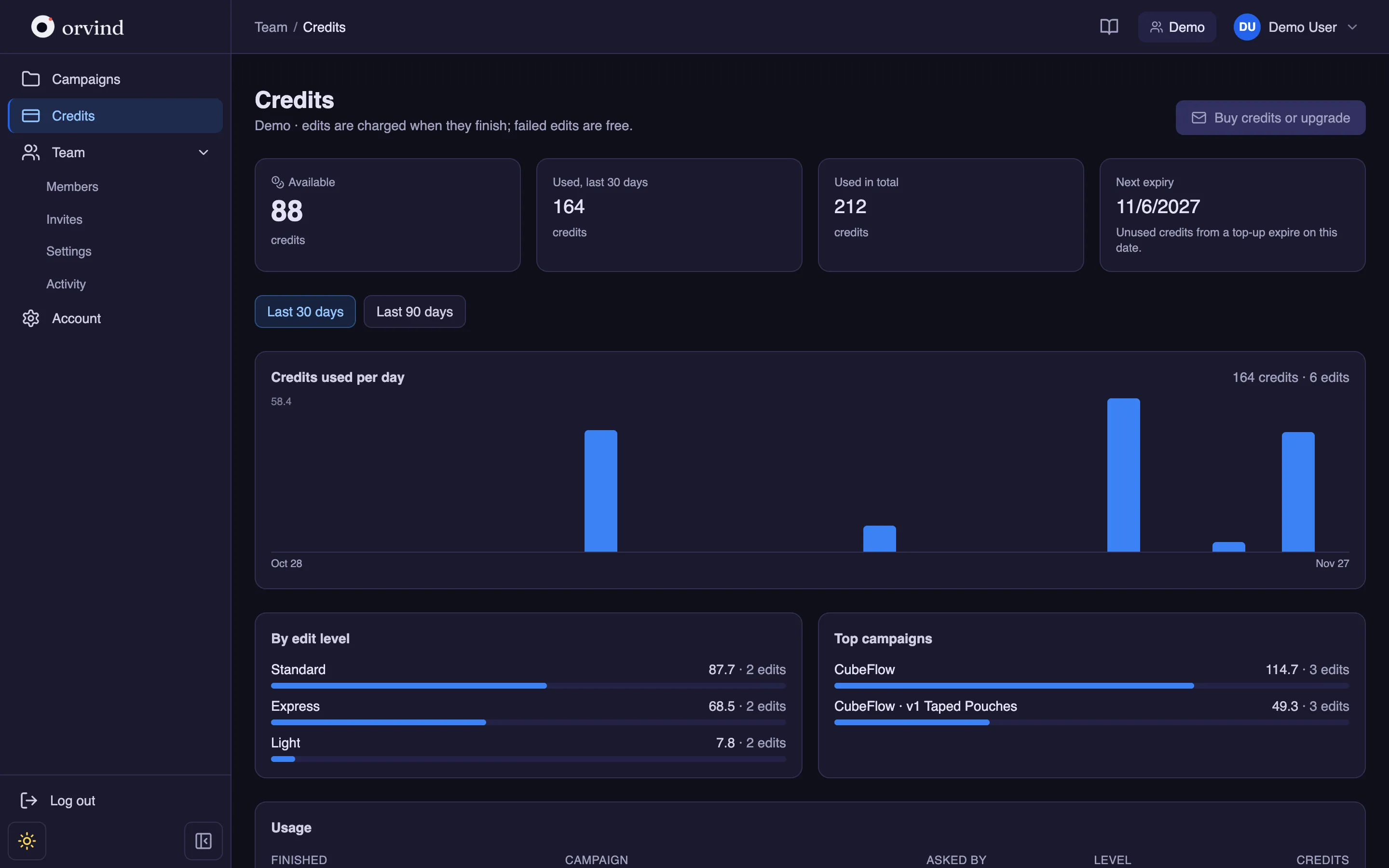
The numbers in these pictures are examples.
| Tile | Shows |
|---|---|
| Available | Credits left. Amber means about a week left at your recent pace. Red means your credits have run out. |
| Used, last 30 days | Credits used in the last 30 days |
| Used in total | Credits used since the start |
| Next expiry | The date unused credits from a top-up expire, if any |
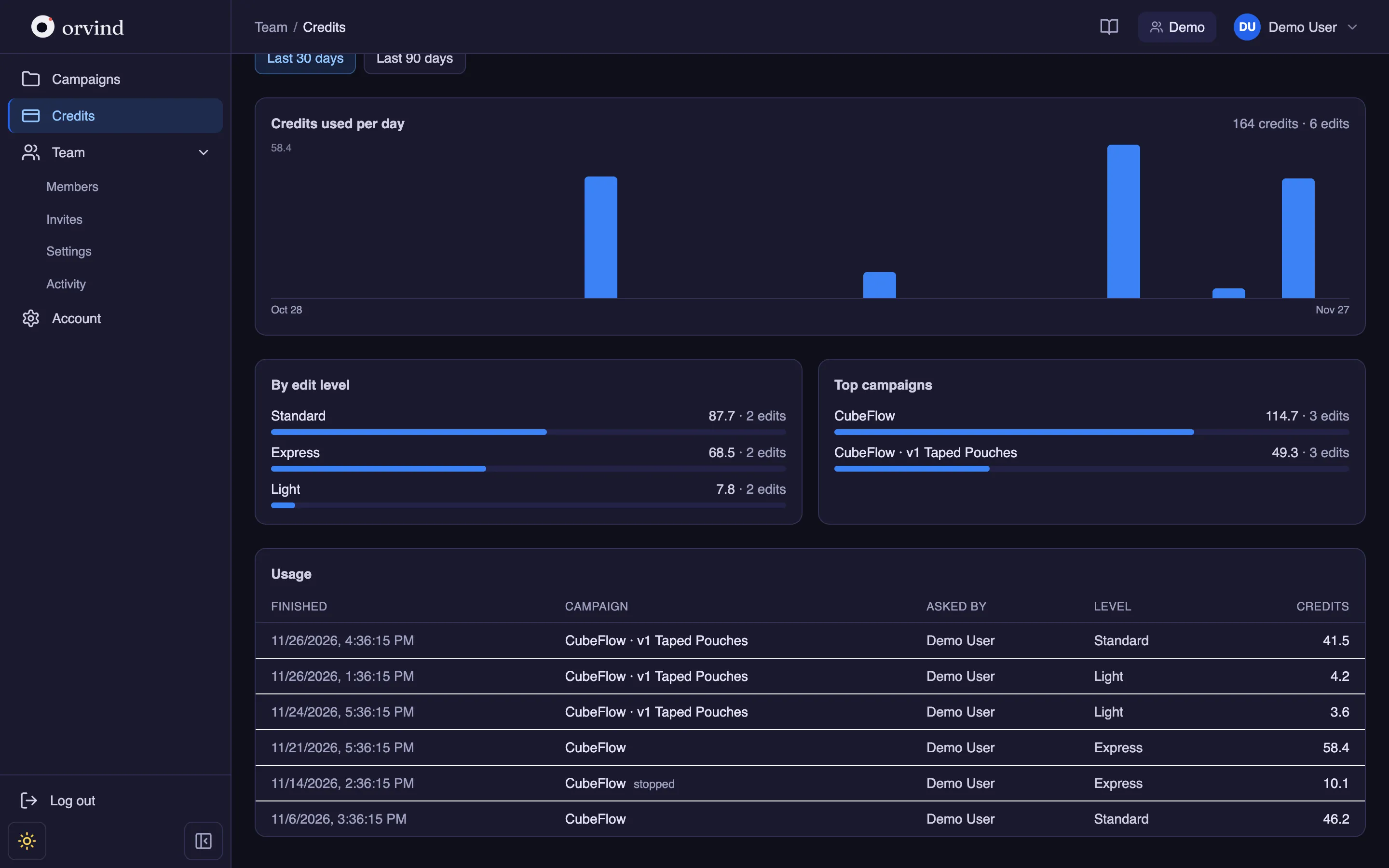
Choose Last 30 days or Last 90 days.
- Credits used per day: a bar chart. Hover a bar for that day’s credits and edits.
- By edit level: credits and edits for Light, Standard and Express.
- Top campaigns: the campaigns that used the most. Click one to open it.
- Usage: every charged edit, with when it Finished, the Campaign, who it was Asked by, the Level and the Credits. Edits you stopped are tagged “stopped”. Click Load more for older ones.
Buy credits
Section titled “Buy credits”To add credits, contact your Orvind team.