

Ad Creatives
In the app: open a campaign → Ad Creatives tab
Ad Creatives holds the campaign’s video ads. Every video ad is made from one of the campaign’s playables, either recorded by your team or generated by AI.
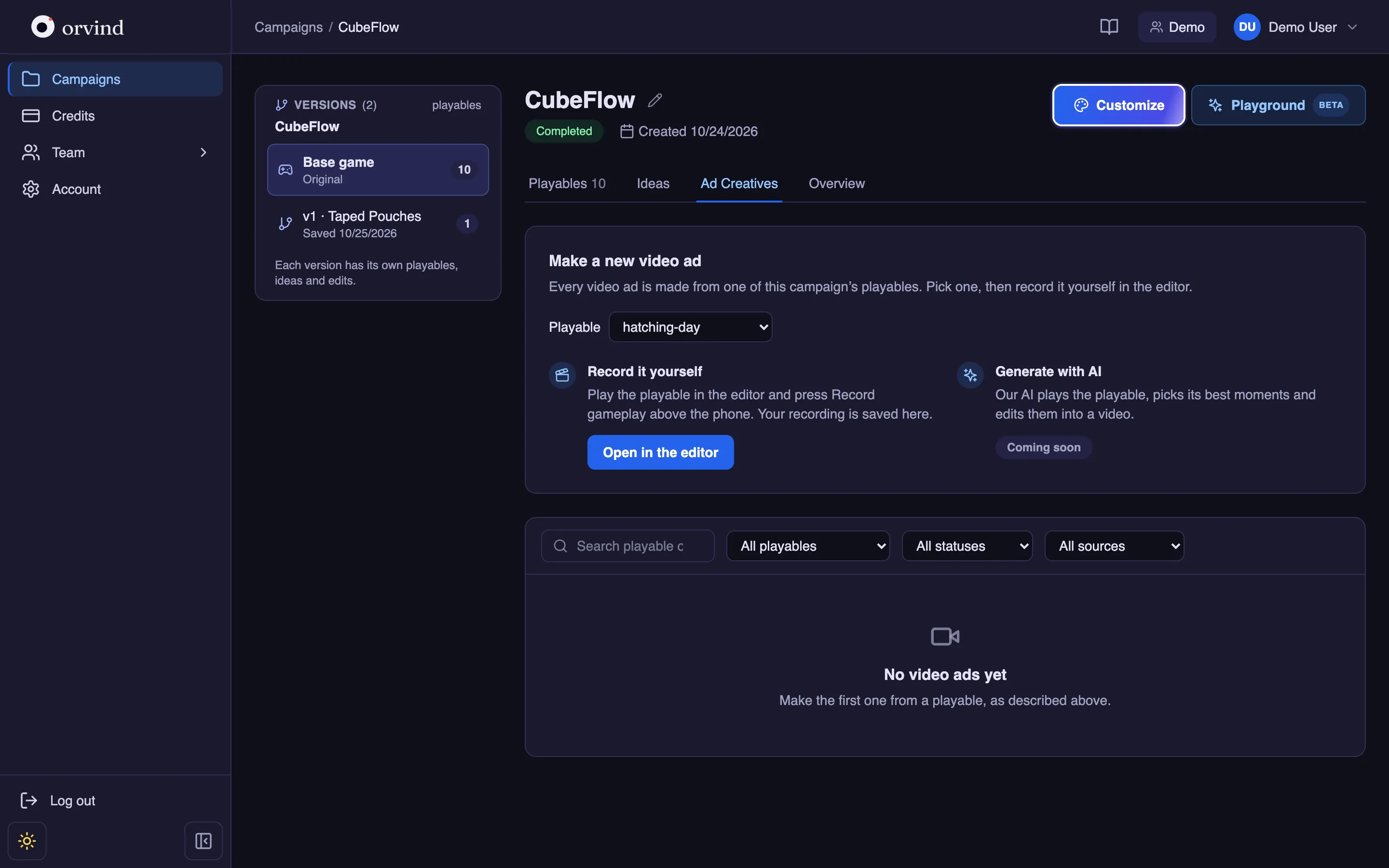
Record a video ad yourself
Section titled “Record a video ad yourself”- Under Make a new video ad, pick a Playable.
- Click Open in the editor.
- In the editor, click Record gameplay above the phone and play the ad.
- Click Save to Ad Creatives.
Full steps: Record gameplay.
Generate a video ad with AI
Section titled “Generate a video ad with AI”On the Playables tab, click ⋮ on a playable → Generate video ad. Orvind’s AI plays the playable, picks its best moments and edits them into a video. It takes about an hour.
If a video could not be made, its card says why. Click Try again.
Watch and download
Section titled “Watch and download”Each ready video shows a player, the playable it came from, its size and length, and who made it.
Click Download to save the video file.
Find a video
Section titled “Find a video”- Search playable or concept…
- Filter by playable.
- Filter by status: Ready, Building, Failed.
- Filter by source: AI generated or Recorded.
The list refreshes by itself while a video is being made.