

Account
In the app: sidebar → Account (app.orvind.com/profile)
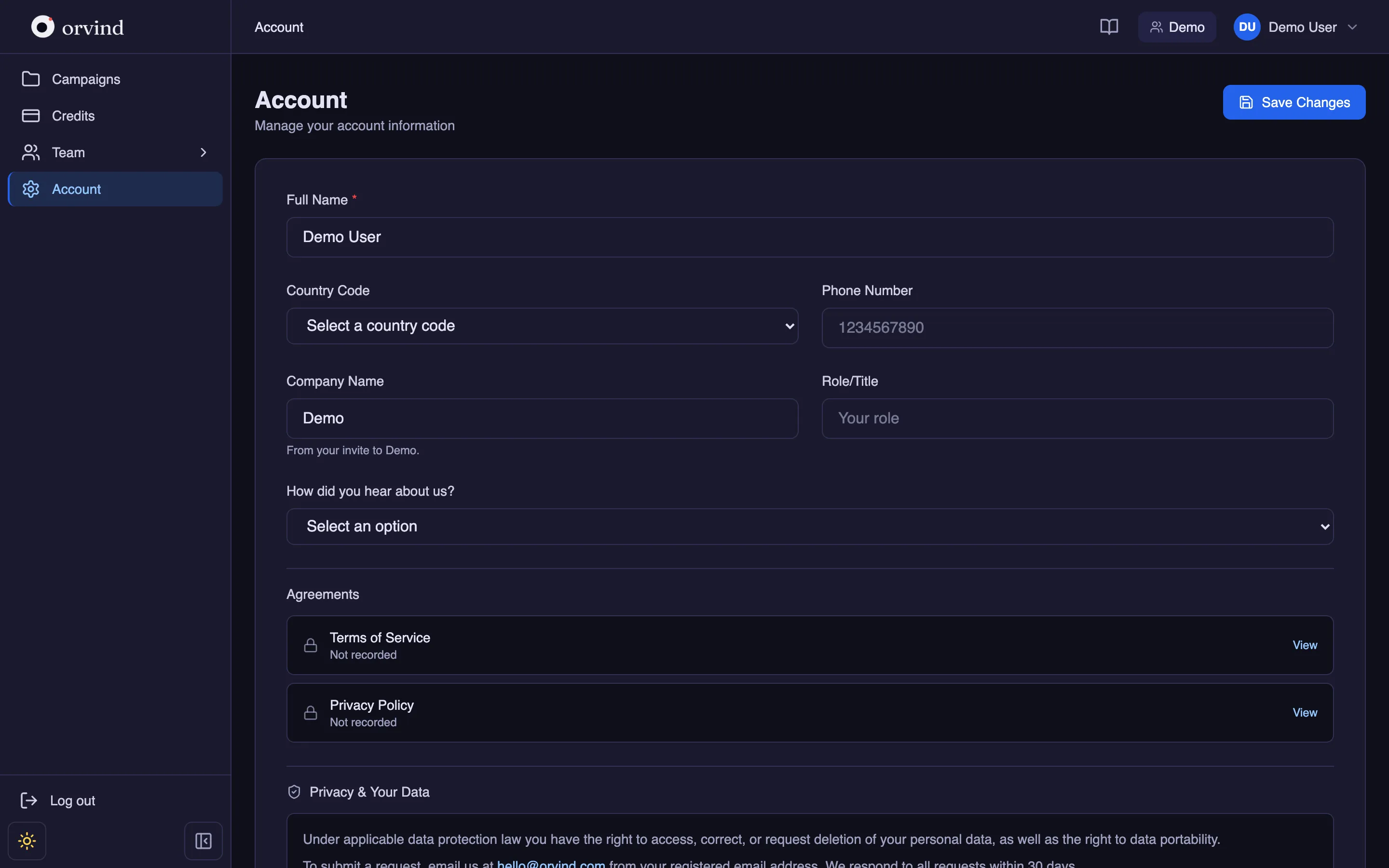
Change your details
Section titled “Change your details”- Edit Full Name, Country Code, Phone Number, Company Name, Role/Title or How did you hear about us?
- Click Save Changes.
Company Name is also your team’s name. It is locked if you joined the team by invite.
Change your password
Section titled “Change your password”- Under Change password, type the new password in New password and Confirm new password.
- Click Change password.
The password needs at least 8 characters, a letter and a special character, and must differ from your current one.
If you see “For your security, please sign out, sign back in, and then change your password”, do that and try again.
Agreements
Section titled “Agreements”Shows when you accepted the Terms of Service and the Privacy Policy, with a View link for each. The Unity Recorder Terms of Use appear here once you have accepted them.
Privacy & Your Data
Section titled “Privacy & Your Data”To access, correct, delete or export your data, email hello@orvind.com from your registered address. Orvind answers within 30 days.
Billing
Section titled “Billing”If you have a subscription, this section shows your plan and its status. Click Manage billing to update your payment method, see invoices or cancel.
Without a subscription it says “You don’t have a subscription.”
For your team’s credit balance, see Credits.